Managing sales on Facebook Marketplace can be challenging for many users. A custom solution using Notion offers a streamlined approach to track items listed, sold, or traded on this popular platform. By employing tables, views, and status tags, users can effectively monitor the lifecycle of each listing, enhancing their overall sales management.
Facebook Marketplace is recognized as one of the most active platforms for buying and selling everyday items. Many sellers face difficulties in keeping track of listings, buyer communications, and delivery schedules. The clean layout and flexible features of Notion provide a reliable tool for users to manage their Marketplace sales efficiently. This allows casual sellers to transform their selling routine into an organized system.
Why Notion is Ideal for Tracking Marketplace Activities
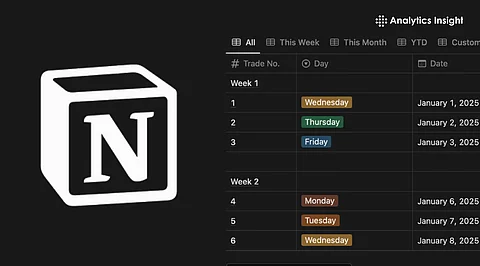
Using Notion centralizes all sales and trade data, allowing users to create a comprehensive “Marketplace Tracker” database. According to a guide from NavThemes, each row in the database can represent a listing with essential columns such as “Item Name,” “Price,” “Date Listed,” “Buyer Name,” “Status,” and “Pickup/Delivery Date.” This structure adds clarity to what can often be a chaotic process, helping sellers avoid confusion and lost details about their transactions.
To set up a custom tracking system, users begin by creating a new page in Notion, where they can add a table-type database. Key properties should include item name, pictures, condition (available/sold/traded/pending), cost, listing date, buyer contact details, and shipping or pickup dates. Once listings are entered, users can filter by status, allowing for quick insights into which items are still available, sold, or require follow-up.
For those frequently engaging in trades, additional custom fields can be added to capture trade details and their approximate value. This adaptability makes Notion a practical option for users who require a tailored solution.
Advanced Features for Enhanced Organization
Notion also facilitates data summarization through formulas and filters, enabling users to create total-sales counters that aggregate revenue from all “Sold” items. For users managing numerous listings, different views can be established, such as by category or listing date, which simplifies management.
Tracking postings and scheduled deliveries can be efficiently handled through a calendar or timeline view. Users interested in partial automation can connect Notion with external services, reducing the need for manual data entry and minimizing errors.
Despite its advantages, some challenges remain. Sellers may still struggle with the potential for human error, such as mislabeling sold items or omitting details about trades. For those dealing with a high volume of transactions, the manual input required by Notion might become burdensome.
The custom Notion setup presents a flexible and cost-effective solution for tracking Marketplace sales and trades. Compared to the disorganization of ad-hoc messaging or random spreadsheets, this system offers clarity. It allows users to easily view items that are listed, sold, or traded, while also keeping a detailed record of revenue and trade history.
While Notion does not provide the same advanced capabilities as specialized Customer Relationship Management (CRM) software, it serves as a valuable upgrade for occasional sellers and small side-hustle users. This tracking system can turn what might be a chaotic selling experience into a more manageable and organized operation.
As Facebook Marketplace continues to grow, the importance of efficient tracking systems will only increase. With tools like Notion, users can navigate the complexities of online selling more effectively, making the process smoother and more productive.